WhatsAppNew inbound message

Tellerdesk Omnichannel unifies WhatsApp, Facebook Messenger, Instagram DMs, email, and AI website chat into one desk — with realtime presence, SLA, and assignment.

Connect every customer channel · People • Support • Solutions

Tellerdesk Omnichannel unifies WhatsApp, Facebook Messenger, Instagram DMs, email,
and an AI-powered website chat widget into a single desk.
Agents reply in one Inbox, with realtime presence, SLA, and assignment.

Embedded Signup connects a WABA and phone number, then inbound messages, media, reactions, and calls flow into the unified Conversation thread with delivery and read receipts.

OAuth connects Facebook Pages and linked Instagram accounts. Messaging windows, private replies to comments, and Graph sync keep native Meta inbox traffic in Tellerdesk.

IMAP/SMTP with Gmail, Outlook, Yahoo, Zoho, or custom hosts. Threaded replies, Sent-folder append, and an optional bridge so email appears beside WhatsApp and Messenger.

A branded widget with RAG replies from your knowledge sources. Escalates to a human agent, can continue on WhatsApp, and captures leads without leaving the site.

Leadgen webhooks capture Facebook and Instagram form submissions, normalize contact data, and let agents start a WhatsApp or Messenger conversation from the lead.

Sync organic and boosted posts, hide or delete comments, reply in public, or convert a comment into a private Messenger or Instagram DM with a 24-hour collaborator grant.
Ready to unify your channels? Start a 14-day trial

An Account owns billing. Each Brand is a workspace with its own subdomain or custom domain, users, channels, conversations, subscription, and branding.
Super admin, platform manager, tenant admin, brand manager, agent, and viewer. Role-grant hierarchy stops workspace admins from creating platform-level access.
Host-resolved tenancy, per-Brand data scopes, membership checks, and a unique session cookie per subdomain so workspaces never leak across a shared domain.
Create an Account with a 14-day trial, spin up a Brand, connect WhatsApp, and invite the team. Super admins can also provision a tenant admin in one step.
Trigger, condition, and action graphs — send a reply, assign round-robin, add a tag, change status, post an internal note, or fire a webhook. Every step is logged.
Live messages, typing, presence, and WhatsApp Business Calling with a softphone. The inbox also polls deltas so agents stay current if a socket drops.
Flagged-word watchlists, conversation timeline reviews, audited impersonation, and a super-admin QA checklist that proves tenant isolation and channel health.

When a chat already has a phone number, your team can call it from the inbox. Incoming calls ring for agents who are signed in. The same business number you use for text can place and receive the call. Missed calls can go to voicemail, and recordings stay limited to the people you allow.
The widget answers from your knowledge sources — pasted text, PDFs, DOCX, or URLs — then escalates to a human when confidence is low, the visitor asks for an agent, or the bot loop repeats. Conversations land in the same Inbox as WhatsApp and Messenger.


Sources are chunked, embedded, and retrieved with cosine similarity. The model answers only from retrieved context — if nothing matches, visitors get a canned “I don’t know” instead of a hallucination.

On-topic replies can offer a quote, and captured contact intent is stored as a Webchat Lead — separate from Meta Lead Ads — so sales can follow up in the same workspace.

Drop a script tag or the generated WordPress plugin. Domain allowlists, SSRF-hardened URL fetching, and an integration scanner that detects Tawk.to, Intercom, or Crisp on the site.

Per-tenant quota checks run before any model call. Exhausted workspaces never reach OpenAI. Each turn is audited for confidence, escalation, and token use.
Answers about workspaces, channels, automation, billing,
and how Tellerdesk Omnichannel keeps every Brand isolated.
WhatsApp Cloud API, Facebook Messenger, Instagram DMs, IMAP/SMTP email, and an AI website chat widget — all in one agent Inbox, plus Voice and SMS, Meta Lead Ads, and social-post comment moderation.
Yes. When a chat already has a phone number, the team can call it from the conversation or from Contacts. Incoming calls ring for agents who are signed in. The same business number used for text can place and receive the call. See Voice and SMS details.
Yes. Each Brand has its own TenantSubscription (trialing, active, past due, suspended, canceled, or expired). Workspace admins manage plan and usage from Billing. Super admins can also activate or update a subscription for any Brand.
The Brand is the tenant. Host resolution, per-Brand Eloquent scopes, membership middleware, and a unique session cookie per subdomain keep conversations, channels, and users from leaking across workspaces. Super admins and platform managers can operate across Brands.
Invite teammates into a Brand and assign tenant admin, brand manager, agent, or viewer. Tenant admins cannot grant super admin or platform manager. Role editing that affects every workspace is reserved for super admins.
Channel access tokens and mailbox passwords are encrypted. Inbox, WhatsApp, and Messenger media can use local disk or S3-compatible storage. Email bodies stay on a dedicated local disk. Billing activation uses a signed webhook; there is no live card capture on this page.
Plans define users, WhatsApp numbers, monthly messages, automation rules, channels, and feature flags such as SLA and advanced reports. New Accounts start with a 14-day trial. A Brand with no subscription row still has access until limits are fully enforced.
No. The webchat bot answers from retrieved knowledge, then escalates when confidence is low, the visitor asks for a human, or consecutive bot-only turns repeat. Escalation uses the same round-robin assignment as automation, or leaves the conversation in Unassigned.
Canned responses, tags, translations, collaborators on someone else’s conversation, flagged-word review, WhatsApp calling, and automation that assigns, replies, or notes without leaving the Inbox.
Open Channels in your Brand settings. WhatsApp uses Meta Embedded Signup. Messenger, Instagram, and Lead Ads use Meta OAuth. Email uses IMAP/SMTP credentials. Each Brand reconnects separately to enable social comment scopes.
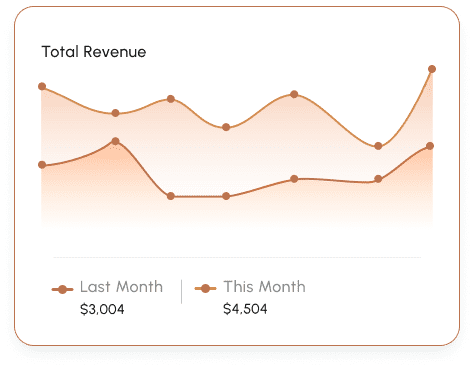
Brands get General, Leads, Conversation Flow, Users, Webchat AI, and Template Health reports. Super admins see cross-tenant overview, brand performance, channel health, and subscription revenue.
Unified channels
Workspace trial
Meta session window
Agent inbox
Tellerdesk already connects WhatsApp, Messenger, Instagram, email, and webchat.
Enterprise workspaces can also use the API and webhooks to send or receive updates.
WhatsApp Cloud API, Facebook Messenger, Instagram DMs, IMAP/SMTP email, and AI website chat all land in one Inbox.
Enterprise plans include API access so a Brand can send data into Tellerdesk and keep the workspace in sync with your own systems.
Automation can fire a webhook, and Enterprise workspaces can use webhook integrations so your systems receive conversation updates.
Create an Account, add a Brand workspace, optionally connect WhatsApp, then invite your team. New Accounts include a 14-day trial. Super admins can also provision a tenant admin from the platform console.
No. Conversations, channels, and customers are scoped to the Brand. Only super admins and platform managers can see cross-tenant analytics. Impersonation is fully audited.
Open Channels, choose WhatsApp, Messenger, Instagram, or Lead Ads, and reconnect. Social comment moderation needs extra Graph scopes, so existing Messenger connections do not gain those automatically.
Each Brand has its own TenantSubscription and Plan limits — users, WhatsApp numbers, monthly messages, automation rules, and channels. Billing is per workspace, not per Account.