

Agentic AI in customer support means an AI that does the work, not just the talking. It reads a request, checks the customer's order or account, takes an action you've allowed (changing a delivery address, say), confirms the result and hands the conversation to a person when it should. A chatbot tells the customer what to do; an agent does it, within limits you set.
This post covers what makes AI agentic, how an agent handles a request step by step, where it helps today, the guardrails it needs and how to adopt one.
What is agentic AI in customer support?
Agentic AI is AI that can plan and take actions toward a goal, not only generate text. AWS defines it as "an autonomous AI system that can act independently to achieve pre-determined goals." In support, the goal is a resolved request: the agent works out what the customer needs, calls the right systems and checks the outcome, looping back if the first attempt didn't work.
Four building blocks make that possible:
- LLM reasoning. A large language model interprets intent, plans the steps and writes the reply.
- Memory. The current conversation, plus account and order history where you allow it.
- Tool and API access. The ability to query a CRM, look up or update an order, or open a ticket in a helpdesk.
- An orchestration layer. The controller that sequences reasoning, tool calls and checks into one workflow.
Analysts expect this to become the norm. Gartner predicts that by 2029 agentic AI will autonomously resolve 80% of common customer service issues without human intervention, with a 30% reduction in operational costs. That is a forecast for the industry, not a typical result today. For how agents are changing other kinds of work, see how AI agents are transforming work.
How is agentic AI different from a chatbot?
A chatbot answers; an agent resolves. A scripted chatbot matches a question to a reply or a help-center link and escalates when the task needs a system action. An agent reads the same question, looks up the data, takes the permitted action and confirms it.
Take a customer who writes, "I need to change my shipping address because I'm moving next week." A rule-based bot often replies, "Sorry, I didn't understand that." An agent finds the order, checks it hasn't shipped, asks the customer to confirm the new address, updates it and says so.
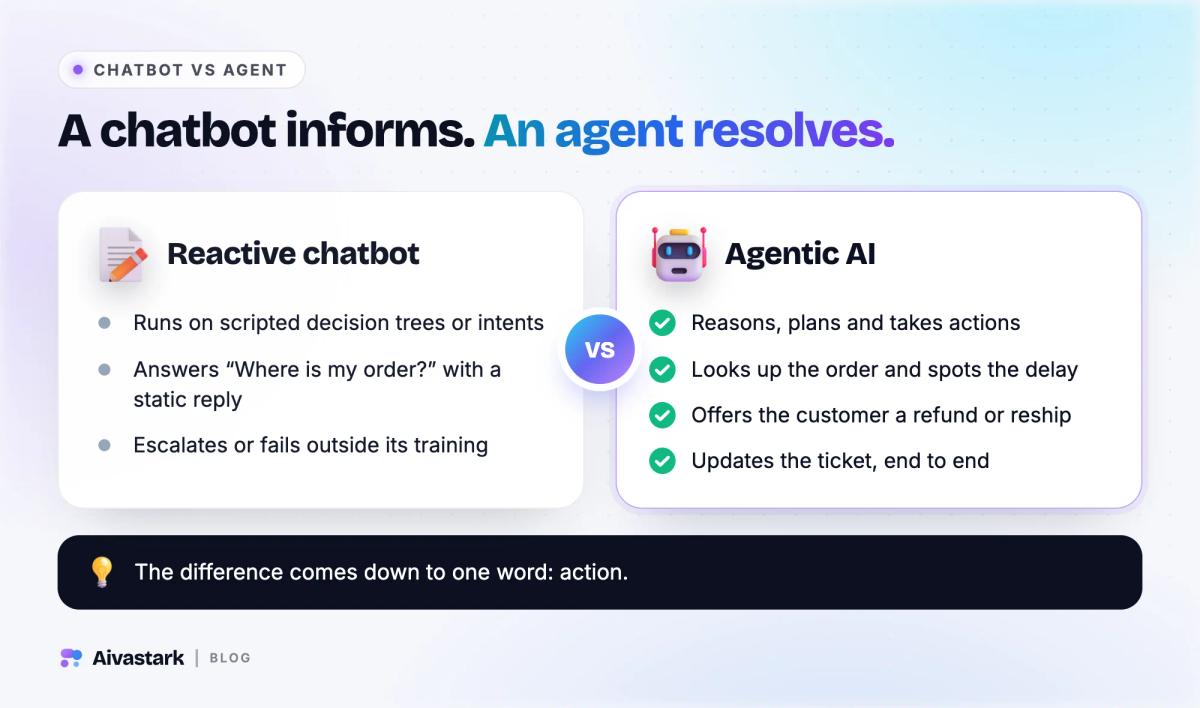
| Scripted chatbot | AI agent | |
|---|---|---|
| "Where is my order?" | A static reply or a link to a tracking page | Looks up the order and gives its real status |
| Unexpected phrasing | Breaks or escalates | Reads the intent from the message as written |
| Memory | Often starts from scratch each time | Keeps the conversation and the account context you allow |
| Systems | Reads a fixed FAQ | Calls order, CRM and helpdesk tools |
| Actions | None; it hands off | Takes permitted actions, often after the customer confirms |
| When it's stuck | Loops or dead-ends | Hands off to a person with the thread attached |
Our guide on AI agents vs AI chatbots goes further into the difference.
How does an AI agent resolve a support request?
It runs four steps: detect the intent, ground itself in real data, act and verify. Here is an illustrative billing complaint followed from the first message to the end.
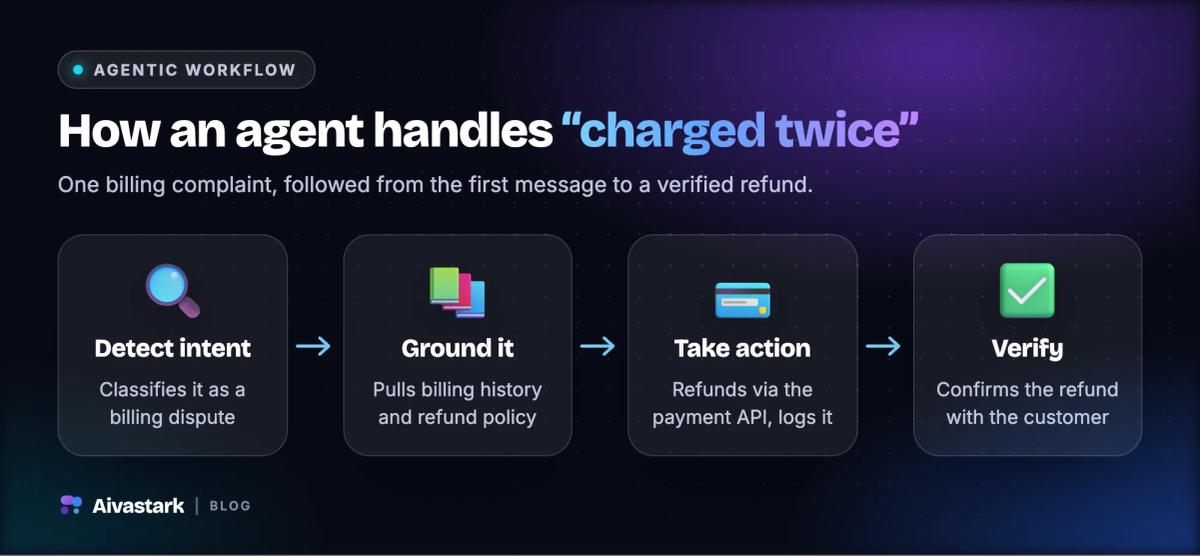
- Intent detection. A customer writes, "I was charged twice for my subscription this month." The agent classifies a billing dispute and identifies the account and the charges involved.
- Retrieval and grounding. Using retrieval-augmented generation (RAG), it pulls the billing history and the refund policy, so its answer rests on current data rather than the model's memory. Grounding reduces made-up answers; it doesn't eliminate them.
- Action. It confirms the duplicate charge, checks the policy and either issues the refund through the payment system or, in many setups, files it for a person to approve. It logs what it did.
- Verification. It checks the action succeeded, tells the customer and asks whether anything else is needed.
In a mature deployment, the agent's tools typically let it:
- query a CRM for account status, order history and entitlements;
- look up, update or route orders within limits you set;
- issue credits or refunds within policy limits, where you allow money to move at all;
- open a ticket, or escalate to a person with the full context.
Well-built systems can also recognize a returning customer who starts on chat and follows up by email, so nobody repeats themselves. Check this in a demo: not every product links conversations across channels.
What can agentic AI do in customer support today?
The strongest use cases are narrow, frequent and easy to check: order changes, bookings, account lookups, and triage with a clean handoff.
- Orders and returns. For online stores, agents look up orders and tracking, change an address before the parcel ships, start return requests and add items to a cart.
- Bookings. An agent can check a calendar and book a slot, or send a booking link.
- Account questions. With a verified identity, an agent can read plan, usage or billing details from your own systems.
- Triage and handoff. Resolve the routine, gather the details on the complex, then hand over with a summary. Our comparison of AI chatbots vs human support covers where each one wins.
- Follow-ups. Delivery updates and reminders, within whatever each messaging channel's rules allow.
- Many channels and languages. The same agent on chat, email and messaging apps; see our guide to omnichannel customer support.
What are the benefits over a traditional chatbot?
More requests are resolved in the first conversation, your team does less repetitive work, answers use the customer's own context, and coverage runs around the clock.
- Higher first-contact resolution. Traditional chatbots hand off the moment a task needs a system action. An agent completes it, closing requests that would otherwise wait in a queue.
- Less repetitive work. Fewer routine requests reach people, and volume spikes don't need extra hires. Your team's time goes to complex, high-value and sensitive cases.
- Personal answers. With account context, the reply is about this customer's order, not a generic policy paragraph.
- Around-the-clock coverage. Agents answer in every time zone, at weekends and on holidays.
What are the risks, and how do you keep an agent safe?
The risks are wrong actions, made-up answers and careless handling of data. You manage them with explicit permissions, confirmation before changes, grounding in your own content, a person for high-stakes cases and logs that someone actually reads.
Set permissions and limits
Every action needs an explicit permission and a limit. A refund agent might approve small refunds automatically and send larger ones to a person. Many teams start by letting the agent read but not write, then add actions one at a time, and ask the customer to confirm before any change.
Ground answers and keep a person in the loop
Grounding in your own knowledge base cuts down on invented answers, but it doesn't remove them, so keep a person in the loop for anything high-stakes. Decide when the agent must hand over: the customer asks for a person, sounds upset, isn't helped after repeated tries, or the request touches money or personal data above a threshold you set.
Check how the vendor handles data
Ask where data is stored, whether the vendor trains models on your content, whether a data processing agreement is included, and which security certifications it holds if your industry requires one. Regulated businesses can use our buyer's playbook for fintech support as a checklist.
Measure success
Track:
- Resolution rate: the share of requests the agent closes without a person.
- Escalation rate: how often cases reach a person, and why.
- Accuracy: the correctness of answers and actions, checked by sampling conversations.
- Customer ratings: how customers score the conversation when it ends.
How do you adopt agentic AI?
Most support teams should buy and configure a product rather than build one. Building means owning model access, tool integrations, orchestration, security and monitoring as models change. Build only when your workflows are unusual enough that no product's tools fit and you have engineers to maintain it.
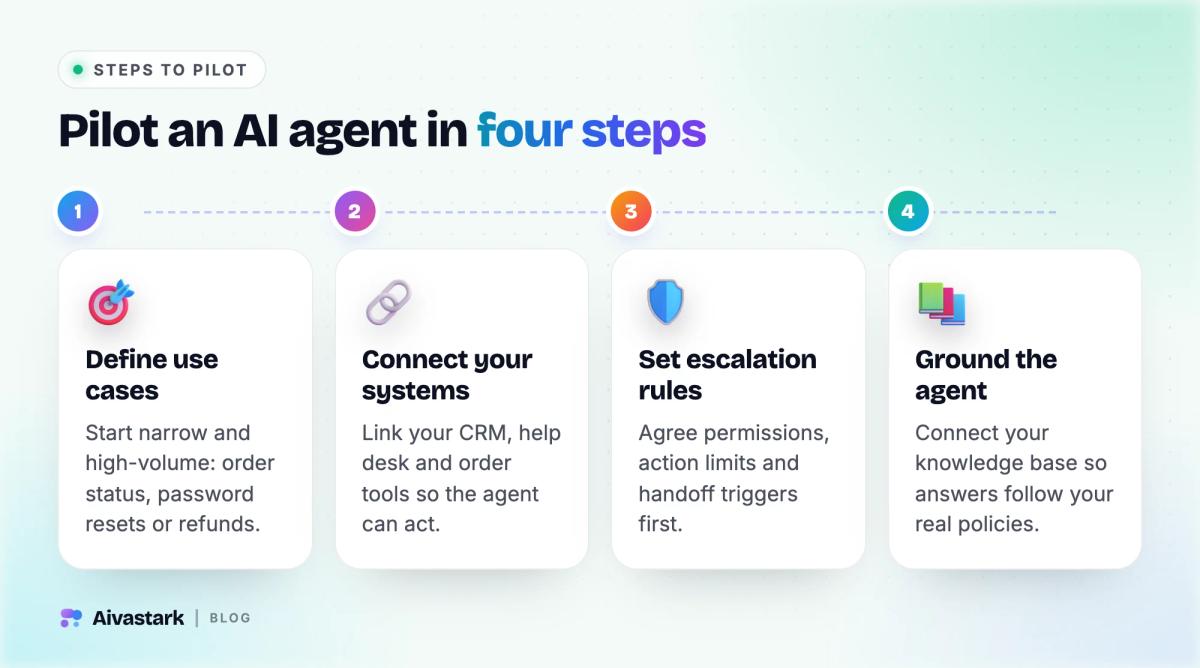
Either way, pilot in four steps:
- Define a use case. Start with one narrow, high-volume workflow, such as order status, password resets or refund requests, where success is measurable.
- Connect your systems. Link your CRM, helpdesk and order tools so the agent can act, not just answer.
- Set escalation rules. Agree permissions, action limits and handoff triggers before switching on any action.
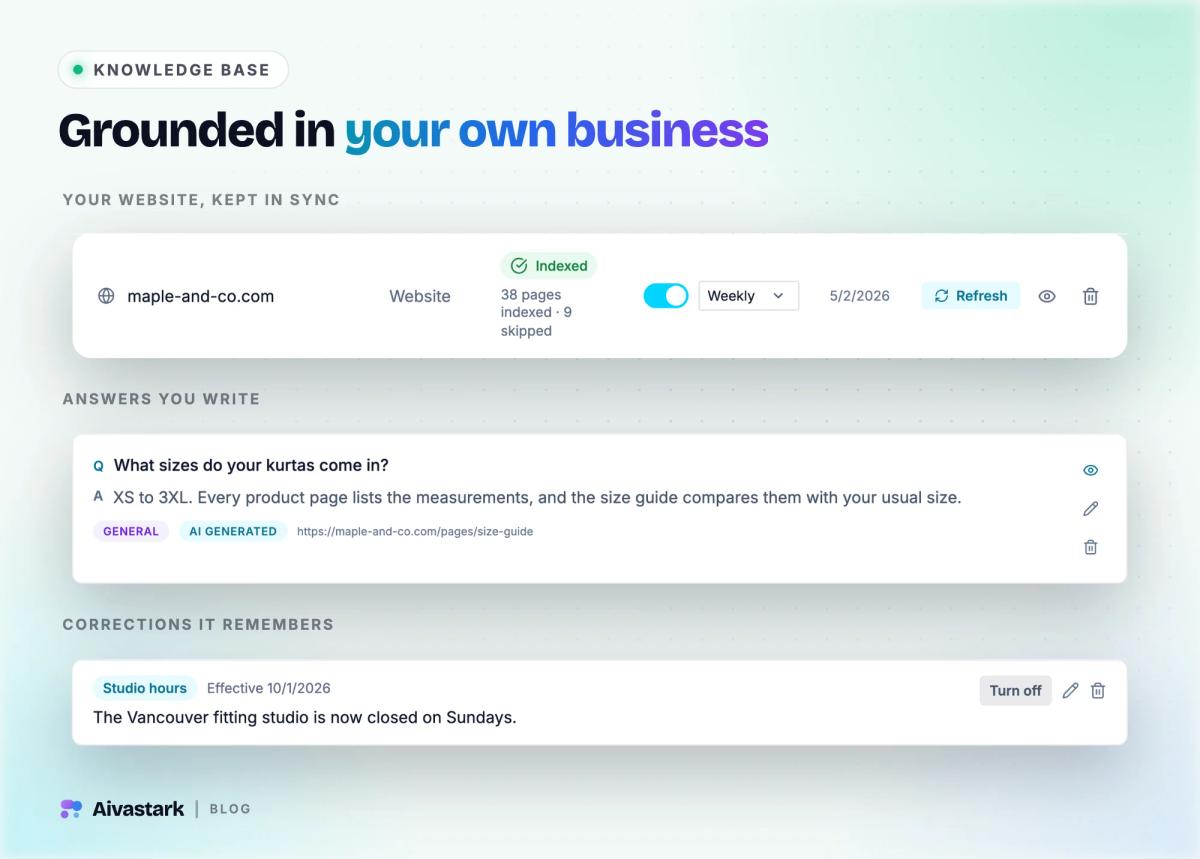
- Ground the agent. Connect your knowledge base and documentation so answers follow your real policies.
Then widen the scope slowly. Begin where the agent proposes and a person approves, and let it act alone on low-risk tasks once your sampled accuracy holds up.
Where does Tellerdesk fit, and where doesn't it?
Full disclosure: Tellerdesk is our product. It is an AI customer-support agent for websites and messaging apps, and it is agentic in a deliberately narrow way: it takes a small set of well-defined actions, asks the customer to confirm changes and hands off to your team.
- Store actions (Starter and up). On Shopify it looks up live orders and tracking and, once the customer confirms, changes the delivery address on an unfulfilled order, starts a return request or adds items to a cart. On WooCommerce it looks up orders and, with ordering and cash on delivery switched on, places COD orders. See the Shopify integration.
- Bookings and your own tools (Starter and up). It books on Google Calendar and Cal.com (with Calendly it sends a booking link), files Zendesk tickets, calls your own MCP servers, where any change needs the customer's confirmation, and calls read-only custom API tools.
- A record of what it did. An agent audit log lists every tool it ran (Starter). In the inbox, your team can open any AI reply to see which knowledge passages it used, and correct an answer so the agent uses the correction next time.
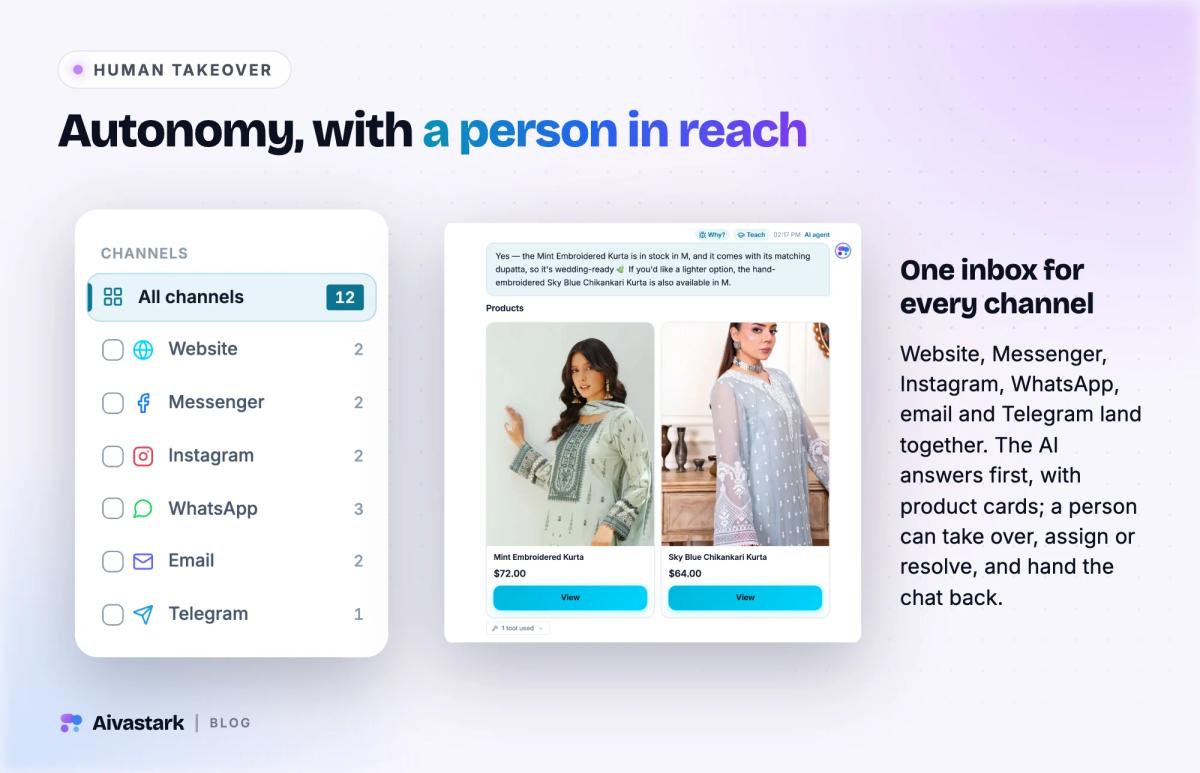
- Handoff (Solo and up, off until you switch it on). When a customer asks for a person, sounds upset or still isn't helped after repeated tries, the conversation lands in your unified inbox with the full thread. The agent steps back while a teammate replies, and an idle thread is handed back to the AI.
- Channels. The website widget is on every plan, Free included ($0, 300 credits a month). WhatsApp, Instagram DMs, Facebook Messenger, Telegram and email come with Starter at $39 a month; see pricing.
Where it doesn't fit:
- Money. It never issues refunds, cancels orders or moves money; it files return and refund requests for your team. If you want an agent that processes refunds, choose a different tool.
- Handoff by confidence score. There is no confidence threshold; handoff runs on the triggers above.
- Comments, calls and SMS. It answers Instagram and Messenger DMs, not comments, and it doesn't take phone calls or send SMS.
- Compliance paperwork. It holds no compliance certification and has no SSO. Data is isolated per organization, Tellerdesk doesn't train or fine-tune AI models on your content, and a GDPR data processing agreement comes with every plan.
- Branding. Your agent's name, colors and persona are yours on every plan, and the Tellerdesk badge can be hidden on Scale. Custom white-label arrangements are available on Enterprise, on request.
Bottom line
Agentic AI moves support from answering questions to resolving them: reading the request, checking real data, taking an allowed action and confirming it. The gains are real, and so is the risk of an agent acting on a bad guess. Start with one narrow workflow, give the agent explicit permissions, make it confirm changes, keep a person one step away and measure accuracy before you widen its scope. To compare products, start with our roundup of the best AI customer support software.
More questions
Is agentic AI only for large enterprises?
No. Small and mid-sized businesses can buy agents that connect to common tools such as Shopify, WooCommerce, Google Calendar or a helpdesk, without hiring machine-learning engineers. The work that remains is the same at any size: pick one narrow workflow, write down what the agent may and may not do, ground it in your policies and review its conversations regularly.
Can an AI agent issue refunds?
Some can, within limits a business sets, such as approving small refunds automatically and sending larger ones to a person. Many teams keep anything that moves money with people and let the agent file the request instead. Whichever you choose, make the agent confirm details with the customer first, log every action and review a sample of refund conversations each week.
How do you measure an AI support agent?
Track four numbers: resolution rate (requests closed without a person), escalation rate and the reasons behind it, accuracy checked by sampling conversations and actions, and customer ratings after the conversation. Review them weekly during a pilot, and widen what the agent may do only when accuracy holds up on the tasks it already handles.
Will agentic AI replace human support agents?
Not for the work that needs judgment. Agents take over routine, well-defined requests such as order status, address changes and bookings, which frees people for complaints, exceptions and sensitive cases. Customers still need a fast way to reach a person, and the agent should hand over with the full conversation so nobody has to repeat themselves.
How is agentic AI different from RAG?
RAG (retrieval-augmented generation) is how an AI looks up the right passages in your knowledge base before answering, so replies follow your content. Agentic AI goes further: it plans steps and calls tools to take actions, such as updating an order or booking a slot. Most support agents use both, RAG for grounded answers and tools for actions.
Sources